
When do you use DMX Lighting in Your Setups?


DMX (Digital Multiplex) is a communication protocol used in the entertainment industry to control lighting, effects, and other devices.
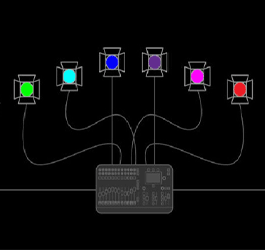
As a DJ, using DMX control can add a whole new level of creativity and excitement to your performances. In this blog, we'll explore when and why you should use DMX control with your DJ lighting.
When to use DMX control:
- For more control over your lighting: DMX control allows you to control your lighting fixtures with precision, giving you more control over color, movement, and other effects.
- For synchronized lighting effects: If you want to synchronize your lighting effects with your music, DMX control is the way to go. You can program your lighting fixtures to match the beat and rhythm of your music, creating a truly immersive experience for your audience.
- For complex lighting setups: If you have a complex lighting setup with multiple fixtures, DMX control can help you easily program and control each individual fixture.
- For a professional look: DMX control can help you create a more professional look and feel to your performances. With synchronized lighting effects and precise control over your lighting, you can create a more immersive and visually stunning experience for your audience.
How to use DMX control:
To use DMX control with your DJ lighting, you'll need a DMX controller. There are many different DMX controllers on the market, ranging from simple, budget-friendly options to more advanced controllers with a wide range of features.
One of the most modern and popular options is the ADJ MYDMX GO because of its intuitive operating design via an app for your iPad or tablet. It uses macros to do the heavy lifting for you, enabling you to focus on the music while it sorts out color patterns and chase effects.
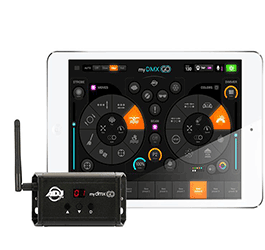
Pictured: ADJ MyDmxGO
Alternatively, you can get more detailed control out of a Chauvet DJ Xpress 1024 and your laptop. This is ideal for really customized scenes, but it does take a little longer to practice generating those scenes. But because it's not a wireless device you have the added security of not experiencing dropouts of signal.
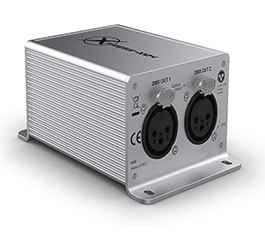
Pictured: Chauvet DJ Xpress 1024
If you’re a DJ using Serato DJ Pro, your best option may be the Soundswitch. This prepopulates lighting scenes to your music crates before your gig and works in conjunction with Serato DJ Pro so the lights are activated by the track you play. This method takes significantly less time than programming scenes for each song and since you don’t have to do anything but play music to send the DMX commands it’s ideal for those who don’t want to get too technical with lighting and don’t require specific control.
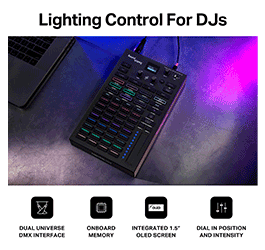
Pictured: Soundswitch Control One
Once you have your DMX controller, you'll need to connect your lighting fixtures to the controller using DMX cables. DMX cables look similar to XLR cables, but some have five pins instead of three. You'll also need to program your lighting fixtures using DMX addresses. Each fixture will have a unique DMX address that you'll need to set in order to control it with your DMX controller.
Learning to program
Just like learning to use a DJ console, lighting programming takes practice. Once you understand the basics behind channels, functions and addressing fixtures, you can start to explore the versatility in making lighting scenes that alternate color pallets or do room chases (when the lighting command jumps from one fixture to another in sequence to create a dynamic effect). Make enough scenes and you can craft a show, which comprises of a variety of scenes and can be very useful when programming music to a specific tracklist like for a band. At Astro we offer classes on lighting programming! You can check out our instructors on the website, or click here!
Conclusion
DMX control is a powerful tool for DJs looking to take their lighting to the next level. Whether you're looking for synchronized lighting effects, more control over your lighting, or a more professional look and feel to your performances, DMX control is the way to go. With the right DMX controller and lighting fixtures, you can create an immersive and visually stunning experience for your audience. If you’re looking for a lighting store near you and you live in Los Angeles check out Astro AVL. We specialize in helping DJ’s learn about the tools available to make their event come to life.
March 23, 2023
|
View: 463
|
Categories: DJ Tips
|
Tags: DJ Tips and Tricks, Beginner DJ, DJ Gig
|
By: Santana
About the Author

Communication is Key!
September 5, 2023
Mastering the Club DJ Setup
July 27, 2023
Cable Management for DJs
September 5, 2023
You Gotta Adapt!
September 5, 2023
Mastering the Basics
July 11, 2023
Communication is Key!
September 5, 2023
You Gotta Adapt!
September 5, 2023
Cable Management for DJs
September 5, 2023
Mastering the Club DJ Setup
July 27, 2023
Break it Down with Serato Stems!
July 27, 2023
Comments