
Beginner Tips! Setting up Turntables to your mixer!


For many DJs, getting two turntables and professional mixer like the Pioneer S11 is a must-have tool in their arsenal. It offers an array of features that are essential for mixing and manipulating audio, making it an ideal choice for DJs of all skill levels.
However, connecting both of those turntables to a Pioneer S11 mixer can be a little daunting for beginners. In this blog post, we'll guide you through the process step-by-step.
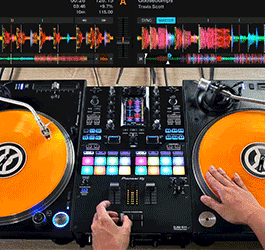
Firstly, it's important to understand the different components that make up a DJ setup. A DJ mixer, like the Pioneer S11, is the central hub of the setup. It allows you to connect various audio sources, such as turntables, CDJs, or laptops, and manipulate the audio signals to create a seamless mix. Turntables are vinyl record players that allow DJs to scratch, mix and blend music manually.DJ Consoles or controllers are all-in-one devices that usually come with built-in sound cards, mixers, and various controls, including jog wheels, faders, and knobs. Finally, DJ bundles are packages that include everything a DJ needs to get started, such as a mixer, turntables, headphones, and speakers.
Now, let's get started with connecting two turntables to a Pioneer S11 mixer. Here are the steps you need to follow:
Step 1: Power off all equipment.
Before you begin, make sure that all equipment is powered off, including the mixer and turntables. This will help prevent any damage or electrical shock during the setup process.
Step 2: Connect the turntables to the mixer.
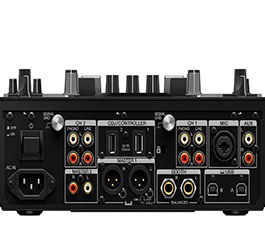
Next, you'll need to connect the turntables to the mixer. On the back of the mixer, you'll find two phono inputs, labeled as "PHONO 1" and "PHONO 2". These are specifically designed for turntables, and they provide the necessary pre-amplification to amplify the signal from the turntable's cartridge. Use RCA cables to connect the turntables to these inputs. Make sure to connect the left turntable to "PHONO 1" and the right turntable to "PHONO 2".
Step 3: Ground the turntables.
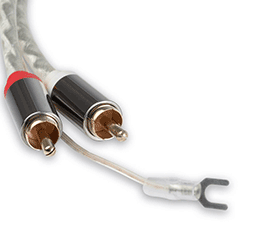
To prevent any unwanted noise or interference, you'll need to ground the turntables. This involves connecting a ground wire from the turntable to the mixer's ground terminal. The ground terminal is usually located next to the phono inputs on the back of the mixer. Connect the ground wire from each turntable to the ground terminal on the mixer. Some turntables won't have this as they are internally grounded so you don't have to worry about it too much if you don't see it available!
Step 4: Set the input levels.
Once the turntables are connected, you'll need to set the input levels on the mixer. Use the "GAIN" knobs located next to each phono input to adjust the input levels. Start by setting the gain to the "0" position, and then adjust it until you get a good signal level without any distortion. You can also use the "TRIM" knobs to fine-tune the input level and adjust the sensitivity of the signal.
Step 5: Set up the mixer.
Now that the turntables are connected and the input levels are set, you're ready to set up the mixer. Connect your headphones to the "HEADPHONE" jack on the front of the mixer, and adjust the volume using the "LEVEL" knob. You can also use the "CUE" buttons to pre-listen to the next track and adjust the headphone mix. Make sure your the knob on top of the mixer is set to phono for your turntables to play sound directly from the turntables. If you are using Serato then make sure its set up to wherever you have your USB plugged into so that the computer can read it.
Step 6: Start mixing!
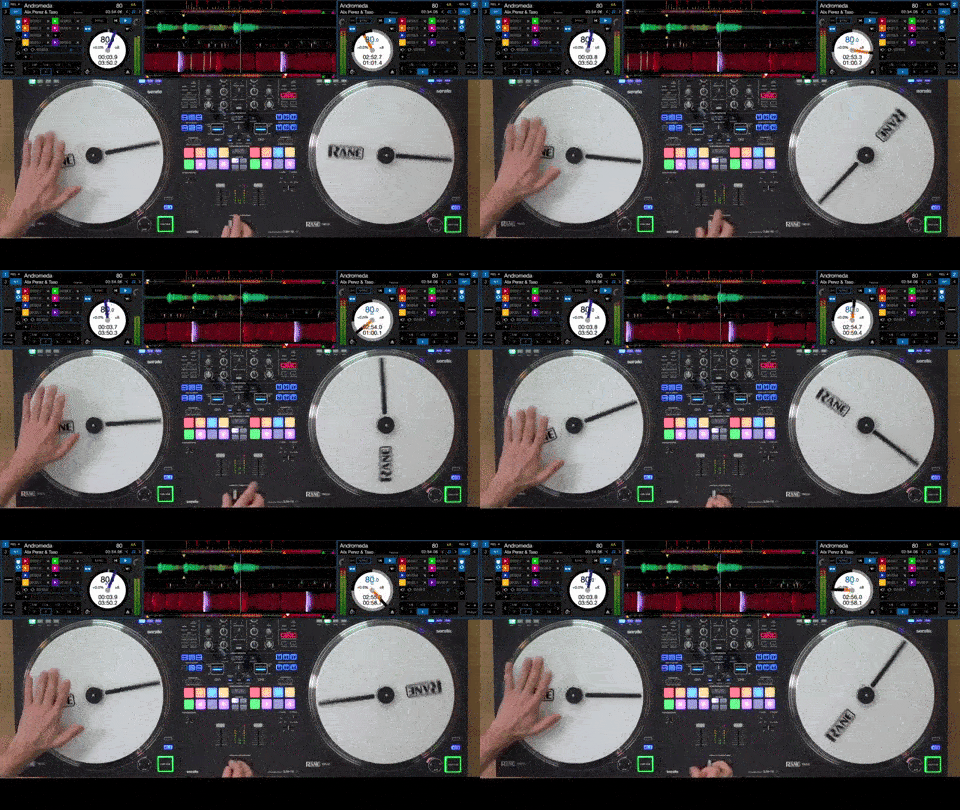
Once everything is set up, you're ready to start mixing! Use the "CHANNEL FADER" and "CROSSFADER" to blend the two turntables together. You can also use the "EQ" and "FILTER" knobs to adjust the tone and texture of the music.
In conclusion, connecting two turntables to a mixer like the Pioneer S11 mixer is a straightforward process that requires RCA cables and a basic understanding of phono inputs. By following the steps outlined in this blog, you can connect your turntables to your mixer quickly and easily, allowing you to focus on your performance and perfect your craft as a DJ.
Check out the all the available mixers and turntables on the rest of the Astro Site!

April 4, 2023
|
View: 441
|
Categories: DJ Tips
|
Tags: DJ Tips and Tricks, Beginner DJ, DJ Gig, Music Production
|
By: Santana
About the Author





Communication is Key!
September 5, 2023

Mastering the Club DJ Setup
July 27, 2023
Cable Management for DJs
September 5, 2023

You Gotta Adapt!
September 5, 2023
Mastering the Basics
July 11, 2023
Communication is Key!
September 5, 2023
You Gotta Adapt!
September 5, 2023
Cable Management for DJs
September 5, 2023
Mastering the Club DJ Setup
July 27, 2023
Break it Down with Serato Stems!
July 27, 2023
Comments