
Be Your Own MC!


As a DJ, it's important to know when and how to use a microphone effectively during your sets. The microphone can add an extra element of entertainment and engagement with your audience, but it's important to use it wisely and not overdo it.
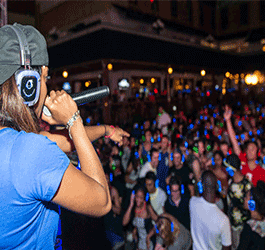
Let's discuss when to use the microphone and how to do so with some grace and skill, focusing on its application with both a professional DJ console and a beginner DJ setup.
Announcements and Introductions
- One of the primary uses of a microphone as a DJ is to make announcements and introductions. This can include introducing yourself or any special guests, making announcements about upcoming events or promotions, and giving shoutouts to the crowd. When using a microphone for this purpose, be sure to speak clearly and confidently, and don't ramble on for too long. Keep your announcements short and to the point, and be sure to give your audience time to respond or react before moving on to the next thing.
Engaging with the Crowd
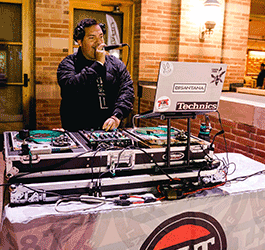
- Another great use of a microphone as a DJ is to engage with the crowd. You can use the microphone to encourage audience participation, hype up the crowd during high-energy moments, and even interact with individual members of the audience. When engaging with the crowd, it's important to read the room and adjust your approach accordingly. Some crowds will respond well to a lot of interaction, while others may prefer a more subdued approach.
MCing Events
- If you're DJing an event such as a wedding, corporate event, or party, you may be expected to serve as the MC as well. This means using the microphone to make announcements and introductions throughout the event, as well as facilitating any activities or games that may be part of the event. When MCing an event, it's important to strike a balance between being engaging and entertaining, and not taking over the event or drawing attention away from the main focus. Remember you're there to entertain with music not practice your standup routine. Have fun and let your personality shine, but don't have people remember you for what you said but rather what you played.
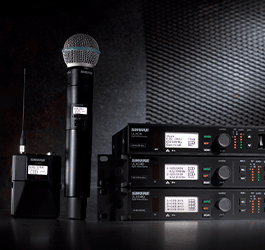
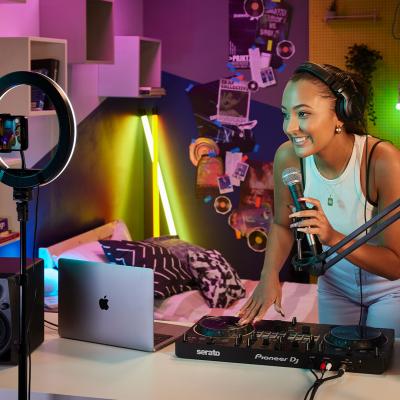
When it comes to using a microphone with a DJ console or beginner DJ setup, there are a few things to keep in mind. First, make sure your microphone is compatible with your equipment and that you have all the necessary cables and adapters to connect it properly. You should also consider the placement of the microphone, as well as the volume levels and any effects you may want to apply. Knowing the number of individuals planning to make speeches will help you acquire additional microphone systems to accommodate. You may utilize a wired microphone in your DJ booth but also need two or three wireless microphone systems for your clients. At that point you will also need a line mixer to integrate each microphone into your mix individually as you will have to tune each one and control when they are contributing to the signal flow.
In terms of equipment, there are a few things to look for when selecting a microphone for DJ use. First you need to decide if you require a wireless system and the potential distance between the receiver and transmitter. Next, a dynamic microphone is generally a good choice, as it can handle high sound pressure levels and is less likely to pick up unwanted background noise. A condenser microphone will require phantom power which your DJ console may not have available. Lastly, you may also want to consider a microphone with a cardioid polar pattern, which helps to isolate the sound source and reduce feedback.
Bonus Tip:
Utilizing a feedback suppressor, like the DBX AFS2 Feedback Suppression Processor, can ensure you don’t have any embarrassing moments in the middle of a speech when the guest speaker decides to stroll in front of your PA.
In conclusion, using a microphone as a DJ can be a great way to engage with your audience and add an extra element of entertainment to your sets. Just be sure to use it wisely and not overdo it, and integrate it into your DJ equipment setup to ensure you're getting the best possible sound. With these tips, you'll be well on your way to using the microphone like a pro.
Check out all the available wired and wireless microphones on the Astro Website!

April 4, 2023
|
View: 385
|
Categories: DJ Tips
|
Tags: DJ Tips and Tricks, Beginner DJ, DJ Gig
|
By: Santana
About the Author




Communication is Key!
September 5, 2023
Mastering the Club DJ Setup
July 27, 2023
Cable Management for DJs
September 5, 2023
You Gotta Adapt!
September 5, 2023
Mastering the Basics
July 11, 2023
Communication is Key!
September 5, 2023
You Gotta Adapt!
September 5, 2023
Cable Management for DJs
September 5, 2023
Mastering the Club DJ Setup
July 27, 2023
Break it Down with Serato Stems!
July 27, 2023
Comments